The web runs on a spread of hardware so wide it is almost absurd: a $2,000 workstation and an $80 entry-level phone both request the same JavaScript bundle, the same particle animations, the same client-side machine-learning model. We have known for years that the fix is to adapt what we ship to the device that asked for it. The problem was never the idea — it was the signal. There has never been a clean, honest way to ask the browser "how powerful is this machine?"
Chrome is about to add one. The CPU Performance API introduces navigator.cpuPerformance, a read-only property that returns a small integer describing the device's hardware class. It is a WICG draft edited by Google's Nikolaos Papaspyrou, and Chrome is set to enable it by default in Chrome 152 — the browser already ships a CpuPerformanceTierOverride enterprise policy to control it. If you do any adaptive loading, this is the signal you have been missing.
What navigator.cpuPerformance actually returns
The API is deliberately tiny. It is one read-only unsigned short on navigator, available only in secure (HTTPS) contexts:
if ('cpuPerformance' in navigator) {
  console.log(navigator.cpuPerformance); // 0, 1, 2, 3, or 4
}
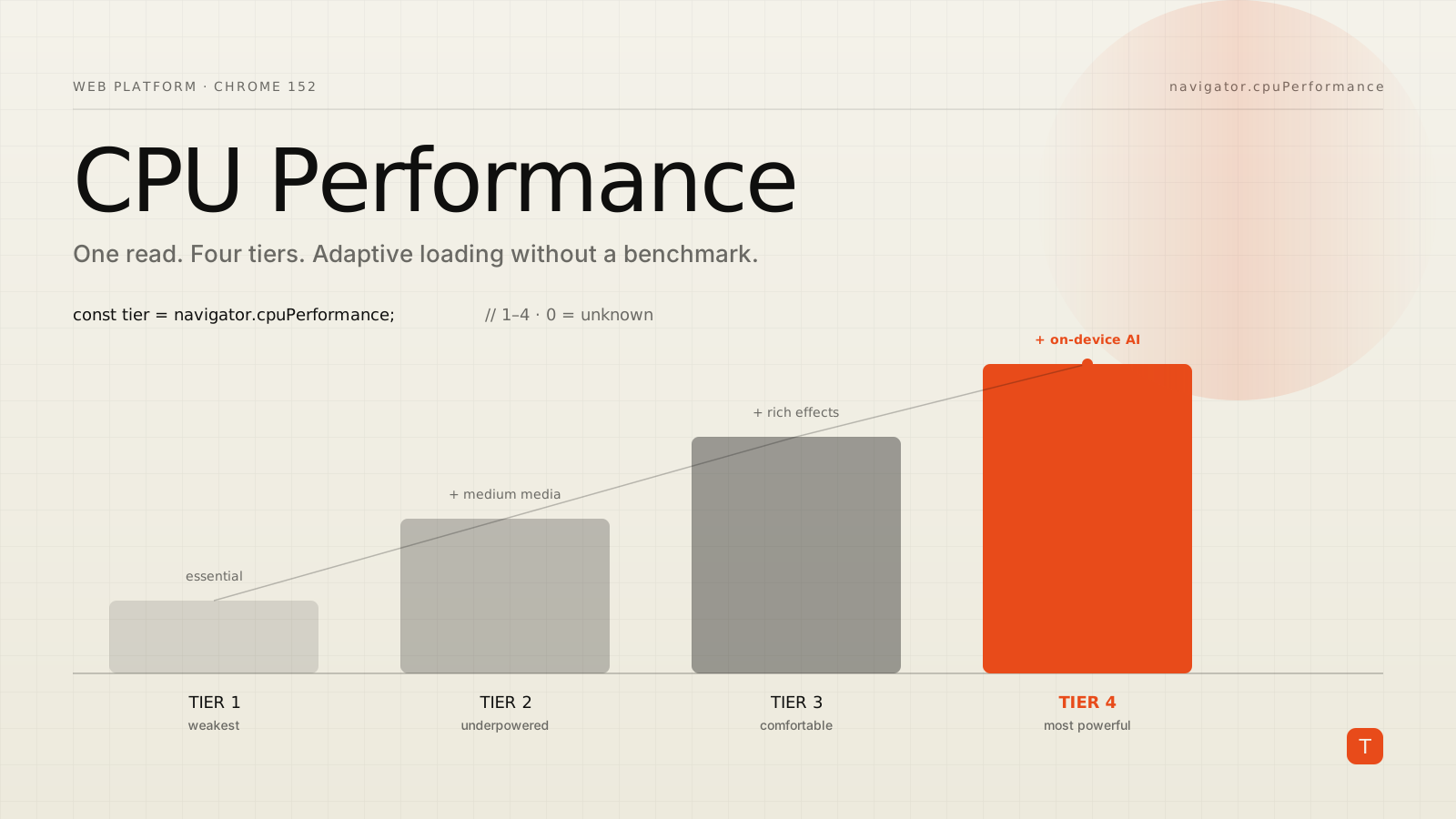
There are four defined performance tiers, numbered 1 through 4, where higher means more powerful. The special value 0 means the browser could not classify the device. The spec also tells you to plan for tiers 5 and above, which will be added over time as hardware improves rather than by re-sorting existing devices — so never write code that assumes 4 is the ceiling.
The single most important property of this value is that it is static. It reflects the class of the hardware, not what the hardware is doing right now. A tier-4 laptop that happens to be pinned at 100% CPU still reports 4. That stability is the whole point: it lets you make up-front decisions — which libraries to load, whether to render on the client or the server, which model to download — and be right most of the time, without those decisions flickering because a background tab spun up.
Why the old proxies were never enough
Developers have been approximating device power for years using whatever navigator happened to expose. Each proxy is a compromise:
navigator.hardwareConcurrencyreports logical core count. It is widely supported, but core count is a poor stand-in for speed — eight slow cores are not faster than four fast ones, and the number tells you nothing about clock speed or architecture.navigator.deviceMemoryreports approximate RAM, rounded to values like0.5,1,2,4, or8. It is Chromium-only, and memory correlates loosely with CPU performance at best.- The Network Information API's
navigator.connection.effectiveTypedescribes the network, not the device, and remains Chromium-only and non-standardized.
The other option — running a micro-benchmark on load to estimate hardware — burns the very CPU cycles you are trying to conserve, and produces different answers on different runs because you cannot control the device's load while you measure. cpuPerformance exists precisely so applications stop resorting to private platform APIs or homegrown benchmarks. The browser does the classification once, consistently, and hands you a bucket.
A tiered loading strategy
The pattern is progressive enhancement in reverse: assume a capable device, then dial the experience down for weaker tiers. Treating 0 (unknown) as capable and letting other signals correct it is usually the right default.
function tuningForDevice() {
  // Unknown (0) → assume capable; dynamic signals can still dial it back later.
  const tier = navigator.cpuPerformance ?? 0;

  if (tier === 1) {
    // Practically the floor: strip anything non-essential.
    return { animations: false, particleFx: false, localAI: false, imageQuality: 'low' };
  }
  if (tier === 2) {
    return { animations: true, particleFx: false, localAI: false, imageQuality: 'medium' };
  }
  // Tier 3, 4, a future 5+, or unknown: give them the full experience.
  return { animations: true, particleFx: true, localAI: true, imageQuality: 'high' };
}

const tuning = tuningForDevice();
if (!tuning.localAI) {
  // Route inference to the server instead of downloading an on-device model.
  runInferenceOnServer(input);
}
Notice what this is not: a hard feature gate. You are choosing between two working experiences, not switching a feature on and off. A weaker device still gets a fully functional page — it just skips the confetti and the 40 MB WebGPU model that would have janked its main thread. The WICG explainer uses a video-conferencing app as its canonical example, pre-selecting resolution, frame rate, and effects per tier, which is the same shape of decision.
Static tier plus dynamic pressure
cpuPerformance answers "how powerful is this device?" It does not answer "how busy is it right now?" For that, pair it with the Compute Pressure API and its PressureObserver. The two are complementary by design: the tier is absolute (device class), while pressure is relative (current load).
// Inside an async module or function.
const capable = (navigator.cpuPerformance ?? 4) >= 3;
let heavyEffectOn = capable;

if (capable && 'PressureObserver' in globalThis) {
  const observer = new PressureObserver((records) => {
    const state = records.at(-1).state; // 'nominal' | 'fair' | 'serious' | 'critical'

    if (heavyEffectOn && (state === 'serious' || state === 'critical')) {
      heavyEffectOn = false; // capable, but overloaded right now — back off
    } else if (!heavyEffectOn && capable && (state === 'nominal' || state === 'fair')) {
      heavyEffectOn = true;  // capable and idle again — turn it back on
    }
  });

  await observer.observe('cpu', { sampleInterval: 1000 });
}
The static check keeps you from ever enabling the effect on hardware that cannot sustain it, no matter how idle it looks. The dynamic observer then backs off temporarily when even a capable device is under strain. Dynamic load alone is not enough to make this call — a tier-1 device can read as nominal simply because nothing else is running, which does not mean it can handle your fluid simulation.
The privacy tradeoff, handled deliberately
Any new bit of device information is a fingerprinting concern, and the spec authors treat it as one. Rather than expose CPU vendor, model, or core counts, the API collapses everything into a coarse tier, and the spec sets a hard rule: each tier must contain no less than 10% of CPU models and no less than 10% of live devices at any time. That bucketing is what keeps the value from meaningfully narrowing who a visitor is. The API is also restricted to secure contexts.
It is not zero entropy — it is one more low-resolution signal — so treat it the way you would deviceMemory: use it to improve the experience, not to build a device profile. And feature-detect rather than assume. Chrome has signalled support, but as of the current drafts Firefox and Safari have given no public position, so cpuPerformance will be a Chromium signal for the near term. Code that degrades cleanly when the property is undefined will keep working everywhere; code that reads it blindly will throw on the browsers that matter most for cross-platform reach.
Takeaways
Reach for navigator.cpuPerformance when you have a genuine fork in the road — client-side versus server-side inference, a full-fat animation layer versus a static one, a heavy dependency versus a light one — and want to pick the right branch before the page does expensive work. Always feature-detect with 'cpuPerformance' in navigator, treat 0 as "assume capable," and never hardcode 4 as the maximum, because tier 5 is coming. Keep the decision to a choice between two working experiences, not a hard gate, so weaker hardware still gets a functional page. Pair the static tier with the Compute Pressure API when you need to react to live load, and lean on the tier when you need a stable, up-front verdict. Finally, respect the privacy contract the coarse buckets are built to protect: this is a tuning input, not an identifier. Chrome 152 makes the signal real — the teams that win with it are the ones already thinking in tiers.
Sources: CPU Performance API — WICG draft · WICG/cpu-performance explainer · Chrome Enterprise: CpuPerformanceTierOverride policy · MDN: Compute Pressure API