For more than a decade, the only way to get a smooth page-to-page animation on the web was to stop having pages. You bolted on a client-side router, hydrated everything into a single-page app, and shipped a bundle large enough to make the rest of your site slower in exchange for transitions that felt fast.
That trade is no longer necessary. Chrome has supported cross-document view transitions since Chrome 126, and Safari shipped them in 18.2. With both major engines now on board, you can ship native, framework-free page transitions in production today — and for plenty of marketing sites, blogs, and documentation portals, that's all you need.
Here's how it works, what's actually shipping, and where the rough edges still are.
What changed
Single-document view transitions — the kind you trigger by hand with document.startViewTransition() — have been around in Chrome since 111. They're useful inside an SPA, but they don't help if your "pages" are actually different HTML documents. The big release was the cross-document version: a transition that fires automatically when the user navigates between two same-origin URLs.
The story in 2026:
- Chrome 126+ ships cross-document transitions on desktop and Android.
- Safari 18.2+ ships them on macOS and iOS.
- Firefox still has both single- and cross-document transitions behind a flag at the time of writing; treat it as a progressive enhancement.
Because both browsers support the same opt-in syntax, you can roll this out incrementally — browsers without support simply navigate the old way. Nothing breaks.
The minimum viable transition
Cross-document view transitions are opt-in on both ends. You don't enable them with a meta tag and you don't need any JavaScript. You add a single CSS at-rule to every page that should participate:
@view-transition {
  navigation: auto;
}
Set this on both the outgoing and incoming page (for most sites, that means putting it in your global stylesheet). When a user navigates between two same-origin pages that both opt in, the browser automatically takes a snapshot of the old document, swaps in the new one, and cross-fades between them.
That's it. No router. No bundle. No startViewTransition call. A static site rebuilt to add that rule gets a default 250ms cross-fade between every page navigation.
Naming elements that should morph
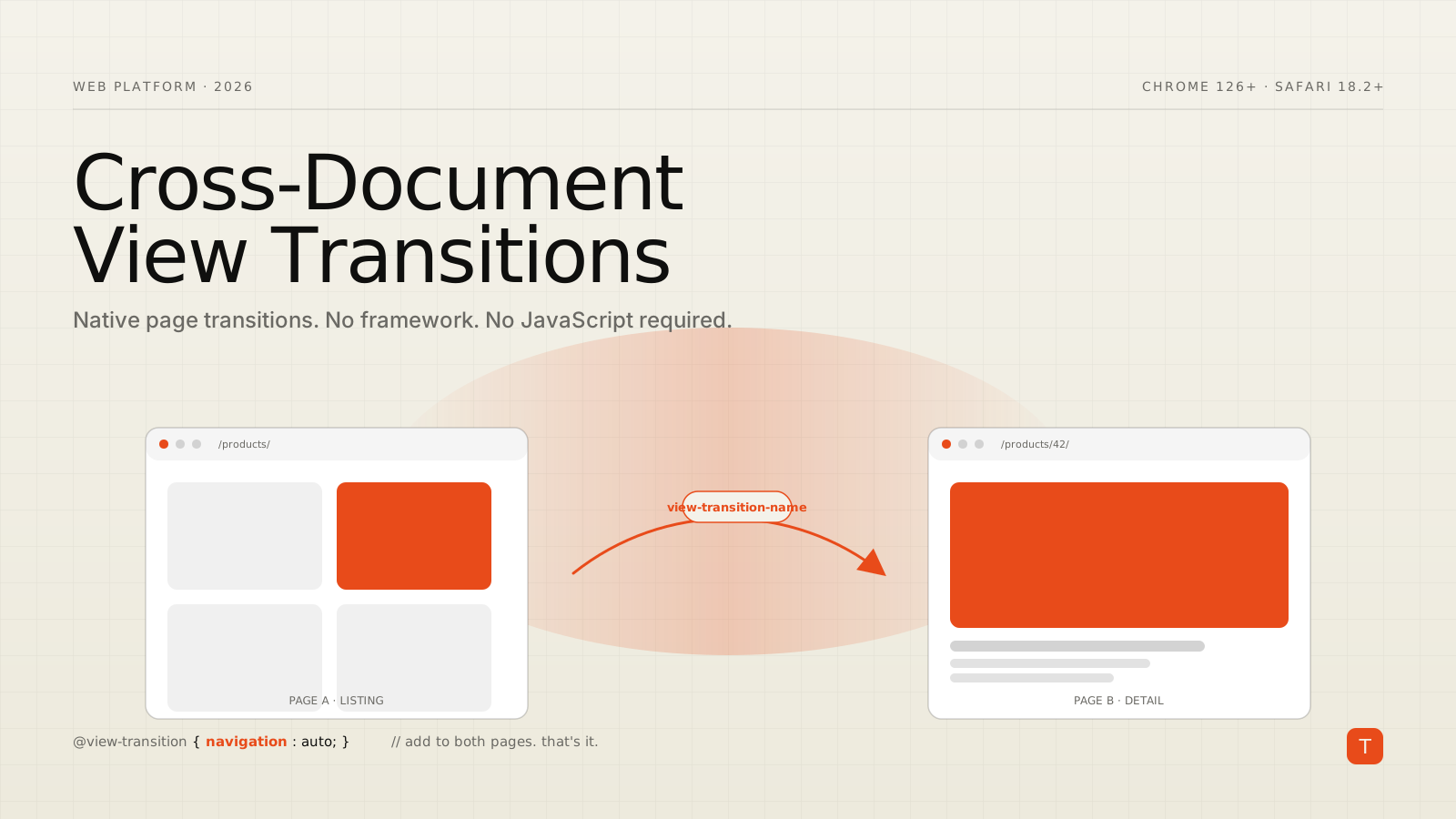
A cross-fade is fine, but the interesting thing about view transitions is that you can tell the browser, "this element on page A is the same element on page B — animate between them." You do that by giving both elements the same view-transition-name:
/* On the listing page */
.card-hero[data-id="42"] img {
  view-transition-name: product-hero-42;
}

/* On the product detail page */
.product-hero img {
  view-transition-name: product-hero-42;
}
When the user clicks from the listing to the detail page, the browser sees the same name on both sides and morphs one element into the other — position, size, and all. This is the technique that gives native apps their satisfying "tap to expand" feeling.
Two important rules. First, names must be unique per document — you can't have two product-hero-42 elements on the same page at the same time. Second, the named element must actually exist on both sides; if it's missing on the new page, the transition falls back to the default cross-fade for that element.
For long lists, generate names dynamically with CSS:
.card[data-id] {
  view-transition-name: attr(data-id type(<custom-ident>), card-fallback);
}
CSS attr() with type support landed in 2025 and removes a lot of the inline-style boilerplate that used to be required here.
Customizing the animation
Once you have a named element, you can target it with two pseudo-elements that exist only during the transition: ::view-transition-old(name) for the outgoing snapshot and ::view-transition-new(name) for the incoming one.
::view-transition-old(product-hero-42),
::view-transition-new(product-hero-42) {
  animation-duration: 400ms;
  animation-timing-function: cubic-bezier(0.2, 0.8, 0.2, 1);
}

/* A slide-up instead of the default cross-fade */
::view-transition-new(root) {
  animation-name: slide-up;
}

@keyframes slide-up {
  from { transform: translateY(24px); opacity: 0; }
  to   { transform: translateY(0);    opacity: 1; }
}
The root name is the entire page; everything you don't explicitly name participates in the root transition.
pageswap and pagereveal: dynamic transitions
Sometimes you need to decide what to animate at navigation time — for instance, only morph the clicked product card, not all of them. Two new HTML events make that possible without resurrecting a client-side router.
pageswap fires on the outgoing page right before the browser takes its snapshot. pagereveal fires on the incoming page right after the document is initialized but before the first paint. Both expose a viewTransition property if a transition is in progress, so you can set or clear view-transition-name values just in time:
// On the listing page
window.addEventListener("pageswap", (event) => {
  if (!event.viewTransition) return;

  const toURL = new URL(event.activation.entry.url);
  const id = toURL.pathname.match(/\/products\/(\d+)/)?.[1];
  if (!id) return;

  // Only the card the user clicked gets the shared name
  document
    .querySelector(`.card[data-id="${id}"] img`)
    ?.style.setProperty("view-transition-name", `product-hero-${id}`);
});

// On the product detail page
window.addEventListener("pagereveal", (event) => {
  if (!event.viewTransition) return;
  // The product page already names its hero in CSS, so nothing to do here.
});
This is the difference between "every list item shares a name and they all flicker" and "the one card the user tapped flies into place." It's worth the few lines of JavaScript.
Transition types
CSS View Transitions Level 2 added types — a way to say "this is a forward navigation," "this is a back navigation," or "this is a product-to-detail." You then write different animations for each:
@view-transition {
  navigation: auto;
  /* types can also come from the pageswap event at runtime */
}

html:active-view-transition-type(forward) ::view-transition-new(root) {
  animation-name: slide-from-right;
}

html:active-view-transition-type(back) ::view-transition-new(root) {
  animation-name: slide-from-left;
}
Set the type from pageswap:
window.addEventListener("pageswap", (event) => {
  if (!event.viewTransition) return;
  const type = event.activation.navigationType; // "push" | "replace" | "traverse"
  event.viewTransition.types.add(type === "traverse" ? "back" : "forward");
});
This is the cleanest way to get directional animations without parsing your own history stack.
Caveats worth knowing
This is real production technology, but it has sharp edges.
Same-origin only. Cross-document transitions don't fire across origins, which means navigations to a different subdomain or external site won't animate. For most apps this is fine.
Snapshots are layout-driven. A view-transition-name element is captured as a single layered snapshot. If you're trying to morph between two complex flex layouts, the result can look more like a cross-fade than a true morph. Animate position and size, not internal structure.
Reduce motion. Respect prefers-reduced-motion. The simplest approach is to disable transitions entirely for those users:
@media (prefers-reduced-motion: reduce) {
  ::view-transition-old(*),
  ::view-transition-new(*) {
    animation: none;
  }
}
Scroll position. The browser captures the visible viewport, not the full page. Elements scrolled off-screen on the old page won't be present in its snapshot. Plan animations around what's visible.
Speculation rules + view transitions are the real magic. If you also opt into the Speculation Rules API to prerender likely-next pages, the transition happens between two already-rendered documents and feels instant. That combination is what closes the perceived gap with native apps.
What this is worth
For a marketing site, a documentation portal, a blog, or an e-commerce listing-to-detail flow, cross-document view transitions are the single highest-leverage feature on the web platform in 2026. You get the polish of an SPA without the JavaScript cost — and the JavaScript cost is exactly what makes those SPAs feel slow in the first place.
The audit is short. Are your URLs same-origin? Do users navigate between pages with related content (list → detail, post → post, step → step)? If yes, you can ship a measurable UX improvement in an afternoon, with nothing more than a CSS at-rule and a handful of view-transition-name declarations.
TL;DR
- Cross-document view transitions are now in Chrome 126+ and Safari 18.2+.
- Opt in with
@view-transition { navigation: auto; }on every participating page. - Use
view-transition-nameto morph the same element across two documents. - Customize with
::view-transition-old()/::view-transition-new()and@keyframes. - Use
pageswapandpagerevealto set names and types just in time. - Pair with the Speculation Rules API for transitions that feel truly native.
Further reading