For years, "conditional styling" in CSS meant one of two things: duplicate a declaration inside a @media or @supports block, or reach for JavaScript to toggle a class based on state. Both work, but both scatter a single decision across your codebase. The value of a button's width lives in two places. The logic that decides whether a card is "pending" or "complete" lives in a component's render function instead of next to the color it controls.
The CSS if() function collapses that decision back into the property itself. Shipped in Chrome 137 and now available across Chromium browsers, if() lets you resolve a value inline against a media query, a feature query, or a style query. It is documented on Chrome for Developers and MDN, and it is one of the more genuinely architectural additions to CSS in a while. This post covers the syntax, the three query types, the patterns it replaces, and — the important part for production work — how to adopt it without breaking browsers that don't support it yet.
The syntax
if() takes a series of condition–value pairs separated by semicolons. The browser evaluates them in order and returns the value of the first condition that matches:
property: if(condition-1: value-1; condition-2: value-2);
You can add an else branch as a fallback for when nothing matches:
property: if(condition-1: value-1; condition-2: value-2; else: value-3);
Conditions come in exactly three flavors, each a function that wraps a familiar CSS test:
media()— a media query, likemedia(any-pointer: coarse)supports()— a feature query, likesupports(color: oklch(0.7 0.185 232))style()— a style query that reads a custom property's value
That is the whole surface. The interesting part is what each one lets you stop writing.
Inline media queries
Consider a button that should be a comfortable 44px touch target on coarse-pointer devices but can be a tighter 30px where there's a mouse. The traditional version splits the width across a base rule and a media block:
button {
  aspect-ratio: 1;
  width: 44px;
}

@media (any-pointer: fine) {
  button {
    width: 30px;
  }
}
With if(), the decision stays on the property:
button {
  aspect-ratio: 1;
  width: if(media(any-pointer: fine): 30px; else: 44px);
}
Same result, one location. This shines most when several properties each depend on the same breakpoint or preference — a dark-mode palette, for instance, where you'd otherwise repeat every element inside a @media (prefers-color-scheme: dark) block. With if(), each property carries its own light/dark decision, and you never have to keep two rule blocks in sync.
State-based styling with style queries
The style() condition is where if() changes how you structure a component. Drive several properties off a single custom property, and the "state machine" for a component becomes a set of inline decisions rather than a pile of modifier classes.
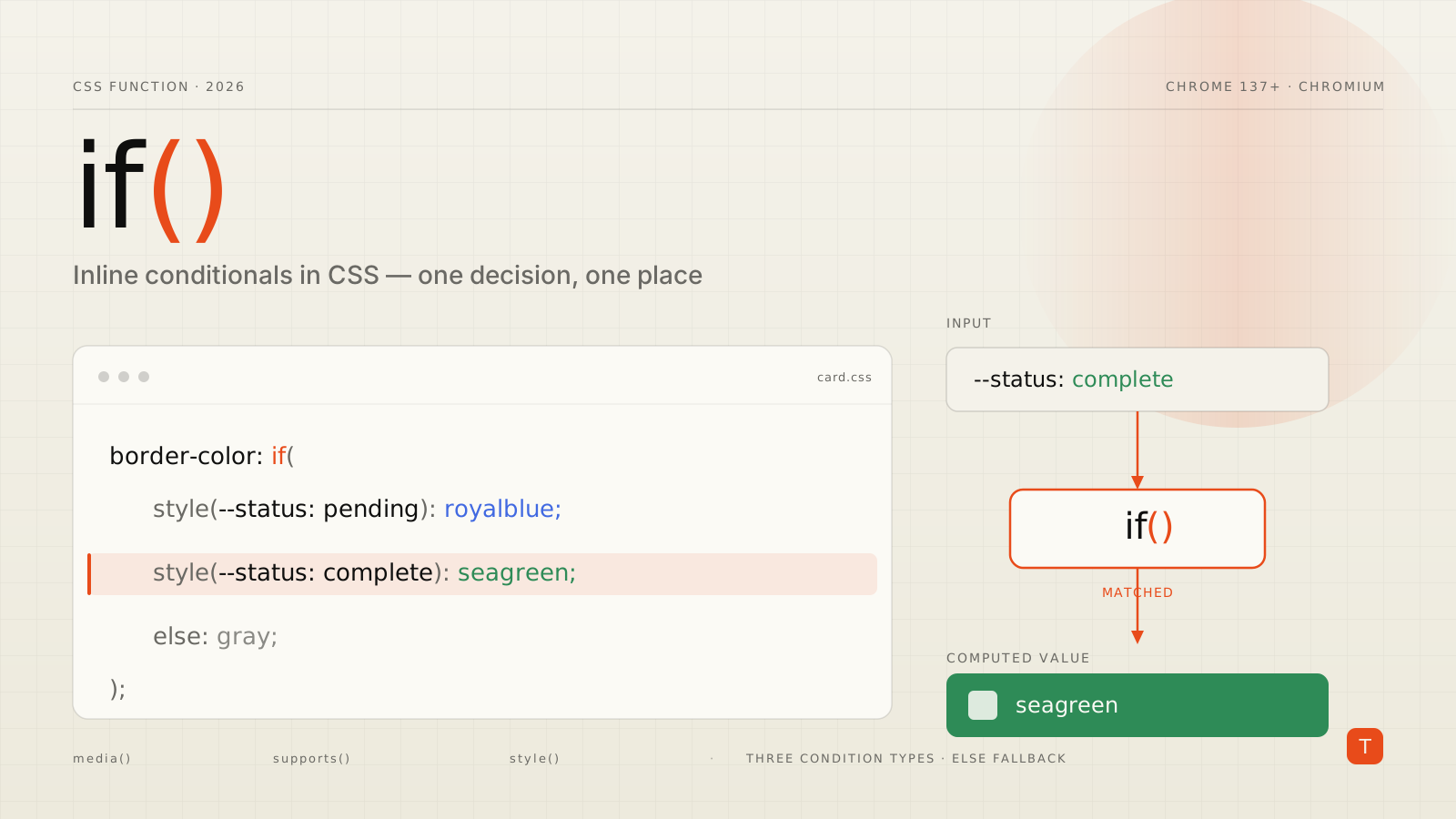
Say a status card can be pending or complete. Set one custom property from the state, then let each property branch on it:
.card[data-status="pending"]  { --status: pending; }
.card[data-status="complete"] { --status: complete; }

.card {
  border-color: if(
    style(--status: pending):  royalblue;
    style(--status: complete): seagreen;
    else:                      gray
  );

  background-color: if(
    style(--status: pending):  #eff7fa;
    style(--status: complete): #f6fff6;
    else:                      #f7f7f7
  );
}
There's a subtle but important distinction here from CSS style queries as they existed before. A container style query (@container style(--status: complete)) styles an element based on a parent's custom property. The style() inside if() reads the value on the element you're already styling — no wrapper element required, and the value resolves immediately. That makes if() practical for the common case where the state lives on the same element as the styles it drives.
Because --status is just a custom property, anything that can set a custom property can drive the branch: a data attribute, a :hover or :checked pseudo-state, or a media query. You get one input and many coordinated outputs.
Feature detection inline
The supports() condition mirrors @supports, letting you pick a value based on whether the browser understands a given feature. A common use is preferring a wide-gamut color where available and falling back to sRGB otherwise:
body {
  background-color: if(
    supports(color: oklch(0.7 0.185 232)): oklch(0.7 0.185 232);
    else: #00adf3
  );
}
There's a chicken-and-egg caveat worth stating plainly, and the Chrome team calls it out: for an inline supports() test to run at all, the browser must first support if(). So this pattern is useful for feature-detecting things that ship after if() lands in a given engine — not for guarding against if() itself. For that, you need the cascade.
Shipping it safely
Here's the honest status as of August 2026. According to caniuse, if() is supported in Chrome and Edge 137 and later — all current Chromium browsers — but not in Firefox or Safari. Firefox has an implementation in progress; Safari has it on the roadmap for 2026–2027. It is not yet Baseline. Treat it as progressive enhancement.
Fortunately, if() degrades through the plain CSS cascade. A browser that doesn't understand if() treats the whole declaration as invalid and drops it at parse time, falling back to the previous valid declaration for that property. So the safe pattern is to declare a normal fallback first, then the if() version:
button {
  width: 44px;                                   /* every browser */
  width: if(media(any-pointer: fine): 30px; else: 44px); /* Chromium enhances */
}
Firefox and Safari render 44px and ignore the line they can't parse. Chromium reads both, and the later declaration wins. Nothing breaks; the experience is simply a little sharper where if() is understood. This is the same discipline you'd use for any not-yet-Baseline property, and it means you can start using if() today for enhancements — spacing, optional color refinements, non-critical state polish — as long as the fallback value is a perfectly acceptable result on its own.
Where you should not use it yet is anything load-bearing: layout that only works if the condition resolves, or a color contrast requirement that depends on the branch. Keep those in @media/@supports blocks, which work everywhere, until if() reaches Baseline.
What's next
if() gets more powerful as the surrounding features mature. The CSS Working Group is developing range syntax for style queries, which would let you branch on numeric thresholds, and the custom functions proposal (@function) points toward reusable, parameterized style logic that pairs naturally with inline conditionals. Both are early, but they suggest a direction: more of a component's behavior expressed declaratively in CSS, less of it reconstructed in JavaScript.
Takeaways
- Use
if()to keep a decision on one property instead of splitting it across a base rule and a@media/@supportsblock, or across CSS and a JavaScript class toggle. - Reach for
style()for state. Drive several properties off a single custom property on the element itself — no parent wrapper needed, unlike container style queries. - Always declare a fallback first. A plain declaration above the
if()line covers Firefox and Safari; Chromium browsers use the enhanced value. - Keep load-bearing styling in
@media/@supportsfor now.if()is Chromium-only and not yet Baseline, so limit it to enhancements whose fallback is acceptable on its own. - Watch the roadmap. Range style queries and
@functionwill expand what inline conditionals can express as browser support broadens.
For deliverables-based work where a stylesheet has to be maintainable long after launch, if() is a quiet win: fewer places for a single design decision to drift out of sync. Adopt it as enhancement now, and it becomes a default tool the moment Firefox and Safari ship.
Sources: CSS conditionals with the new if() function on Chrome for Developers, the MDN if() reference, the caniuse support table for css-if, and Lea Verou's writeup on inline CSS conditionals.