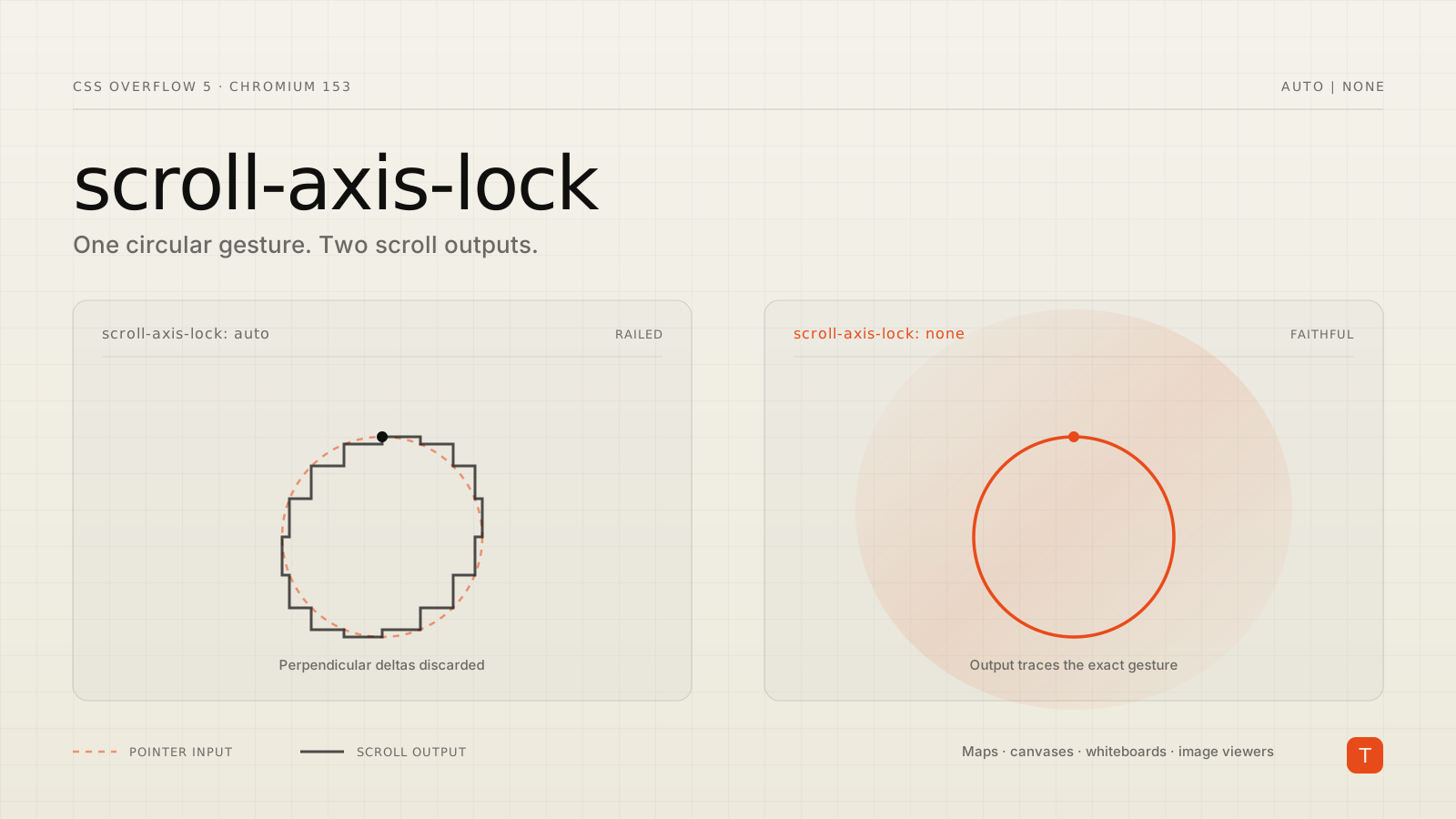
If you have ever built a map viewer, a zoomable image inspector, or an infinite canvas and thought "why does diagonal panning feel sticky?" — the answer is that the browser was never showing your users their own gesture. It was showing them a cleaned-up version of it.
Chromium 153 ships scroll-axis-lock, a new CSS property that lets you turn that cleanup off. It is a single declaration, it degrades harmlessly in browsers that do not support it, and for a specific class of interface it deletes an entire category of custom JavaScript.
What axis locking actually does
When a scroll gesture starts with much more movement in one axis than the perpendicular one, browsers assume the user meant a straight line and discard the perpendicular deltas. Drag your finger 500px down and 3px sideways, and the browser will throw away the 3px — and often keep throwing away sideways movement for the rest of that gesture. The behavior is called axis locking, or "railing."
For a text column or a vertical feed, this is a genuine accessibility win. Users whose hands are not perfectly steady get a clean vertical scroll instead of content drifting sideways while they read. Nobody should want to remove that from the default.
The trouble is that the heuristic is applied to every scroll container, including the ones where a straight line was never the point. As Bramus Van Damme demonstrates in his write-up of the property, tracing a circle with a trackpad produces an etch-a-sketch staircase rather than a circle — and the severity varies by engine and platform. Safari and Firefox on macOS rail aggressively; Chrome on macOS follows intent more closely but still applies some locking. Behavior on touch differs again. In other words, the amount of gesture fidelity your 2D interface gets today is a function of which browser the user happens to be in, and you have no say in it.
The property
scroll-axis-lock is defined in CSS Overflow Level 5 and takes two values:
.map-viewport {
  overflow: auto;

  /* auto (default): the UA may apply its locking heuristic */
  /* none: the UA must not lock the scroll to one axis   */
  scroll-axis-lock: none;
}
The full definition from the Chromium explainer: initial value auto, applies to scroll containers, not inherited, discrete animation type.
Not inheriting is the right call and worth understanding, because it is the thing that makes the property safe to adopt. A document viewer is a none container that will routinely contain auto containers — a sidebar, a comments list, a properties panel. If the property inherited, opting a canvas out of railing would silently opt out every list inside it, which is exactly where railing is doing useful work. You set it on precisely the element you mean.
Where this is worth using
Two shapes of interface, per the explainer:
2D panning surfaces. Maps, schematics, architectural drawings, node graphs, collaborative whiteboards, large image viewers. Freeform diagonal movement is the primary interaction, and railing is pure friction.
2D swipe gestures. Swipe-to-dismiss patterns where a card should follow the finger — with some horizontal drift — rather than snapping onto a vertical rail.
Everything else should stay auto. If your scroll container only overflows in one direction, the property is a no-op anyway: there is no perpendicular content to scroll to, so there is nothing for the browser to drift into.
What it replaces
Here is the part that matters commercially. Until now, the only way to get faithful 2D panning was to stop using native scrolling entirely:
// The workaround this property retires
const el = document.querySelector('.pan-element');
let startX = 0, startY = 0;

el.addEventListener('touchstart', (e) => {
  startX = e.touches[0].clientX;
  startY = e.touches[0].clientY;
});

el.addEventListener('touchmove', (e) => {
  e.preventDefault();          // kill native scroll, and with it the railing
  const dx = e.touches[0].clientX - startX;
  const dy = e.touches[0].clientY - startY;
  el.style.transform = `translate3d(${dx}px, ${dy}px, 0)`;
}, { passive: false });
That snippet looks cheap. It is not. It carries three costs that compound over the life of a product:
Input latency and jank. Native scrolling is handled off the main thread by a dedicated compositor path. A JavaScript gesture handler is not. Any long task elsewhere on the page — a hydration pass, a chart re-render, a third-party tag — stalls the pan. On a canvas app, that stall is the product.
Lost platform behavior. Replacing scroll with
transformmeans the element is no longer scrolling, so everything downstream of scroll position stops working: scroll events,scrollTop/scrollLeft, scroll snapping,IntersectionObserver, scroll-driven animations, anchor scrolling, and the browser's own scrollbars. Teams then rebuild those one at a time, badly.Modality gaps. Touch handlers cover touch. Trackpad and wheel scrolling arrive as separate events with separate logic, and the two paths drift apart over time.
scroll-axis-lock sidesteps all three because the element remains a real scroll container. Only the locking heuristic changes. This is also why the CSS Working Group rejected the obvious alternative of overloading touch-action with a pan-free keyword: touch-action filters whether the browser takes a touchscreen gesture at all, and has no effect on wheel or trackpad input. Locking happens later, inside the scrolling engine, and applies across every input modality — so the control belongs in CSS Overflow. (The property was also renamed from overflow-axis-lock for the same reason: it describes scrolling behavior, not layout or clipping, which puts it alongside scroll-snap-type and scroll-behavior.)
Support and how to ship it
As of this writing:
- Chromium 153 — supported. That covers Chrome and, per the Edge 153 platform release notes, Edge.
- Firefox — no support. Mozilla's standards position request was filed in July 2026 and is still unscreened.
- Safari — no support. A WebKit standards position is open.
So this is a Chromium-only enhancement today, and you should treat it as one. But it needs no guard: a browser that does not recognize the declaration drops it and keeps its current behavior, which is exactly the behavior your users have now. Ship it directly.
If you need to branch — to decide whether to load a JavaScript fallback, for instance — feature detection is standard:
@supports (scroll-axis-lock: none) {
  /* native diagonal panning available */
}
if (CSS.supports('scroll-axis-lock', 'none')) {
  // skip loading the custom gesture layer
}
That second form is the interesting one for teams already carrying a gesture library. You do not have to rip it out to benefit. Gate it behind the detection, serve native scrolling to Chromium, and keep the fallback for everyone else until the other engines land. Your Chromium users — usually most of them — get lower latency and the bundle savings immediately.
Takeaways
- If you ship a map, canvas, whiteboard, or large-image interface, add
scroll-axis-lock: noneto the pan container this week. It is one line, needs no feature query, and cannot regress non-supporting browsers. - Set it on the specific scroll container, never on a wrapper. The property does not inherit precisely so that lists and text columns inside your canvas keep the stabilizing default.
- Leave
autoeverywhere else. Railing is an accessibility feature for unidirectional content, not a bug. - If you maintain a custom JavaScript pan layer, wrap it in
CSS.supports('scroll-axis-lock', 'none')and let Chromium take the native path. You get compositor-thread scrolling, working scroll events andIntersectionObserver, and less code to run — without waiting for Firefox and Safari.
The wider pattern is worth noting: several years of CSS additions have been about handing back control over behaviors browsers previously decided for you. scroll-axis-lock is a small one, but it closes a gap that has been forcing teams into main-thread gesture handling for a decade.