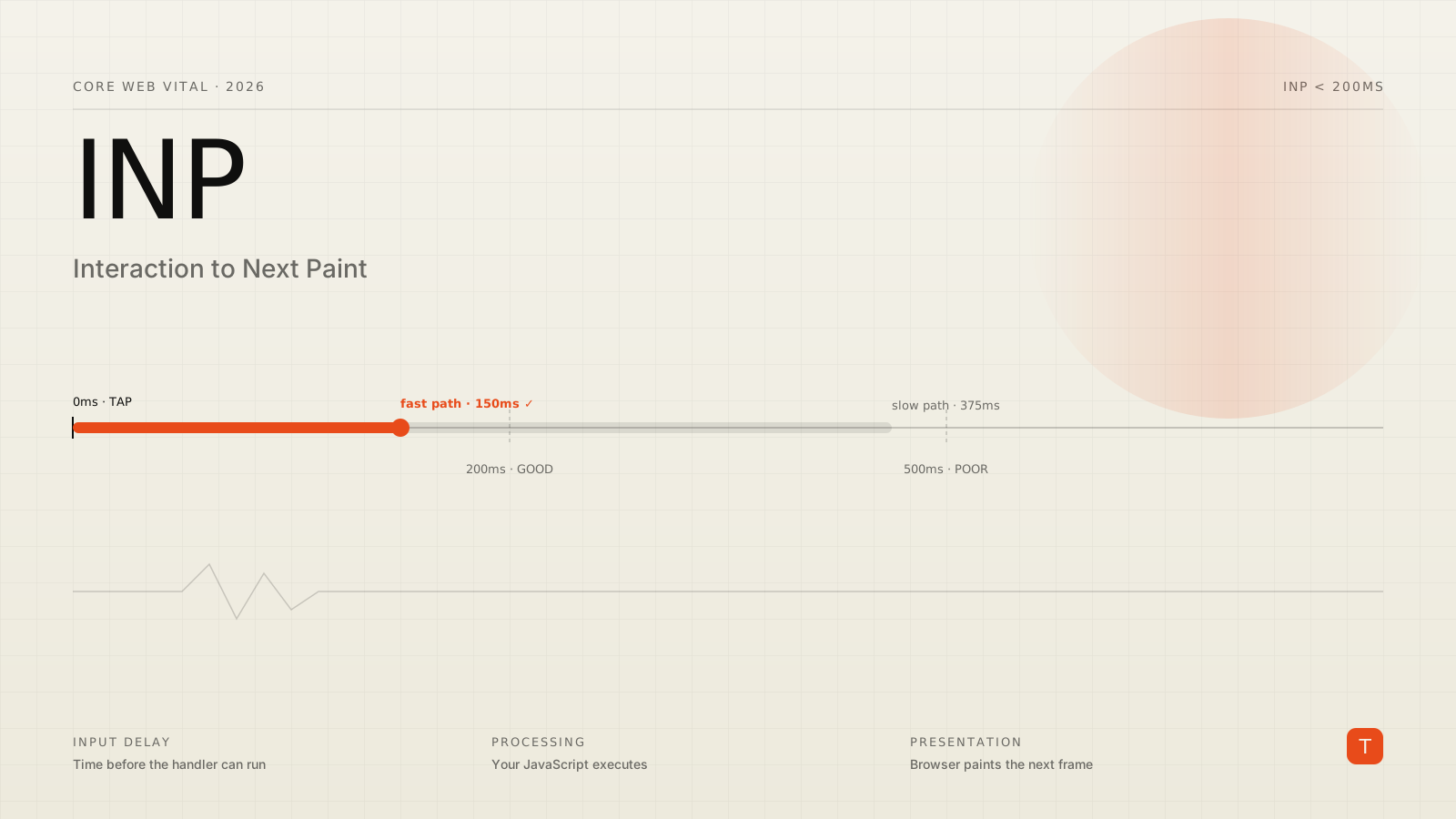
If your site feels fine on your laptop but sluggish on real phones, you almost certainly have an Interaction to Next Paint (INP) problem. INP replaced First Input Delay (FID) as a Google Core Web Vital in March 2024, and according to recent industry data, around 43% of sites still fail the 200ms "good" threshold — making INP the most commonly missed Core Web Vital on the web.
This post is a practical playbook: what INP measures, where it usually goes wrong, and a tight set of fixes you can ship this week.
What INP actually measures
Where FID only measured the delay before the first interaction's handler started running, INP measures the full latency of essentially every interaction across a page's life, then reports a value near the worst one.
For a single interaction, INP is the time from the user's input (tap, click, key press) to the next frame the browser actually paints. It's made up of three pieces:
- Input delay — the gap before your handler can run, usually because the main thread is busy doing something else.
- Processing time — your JavaScript event handler itself, plus any sync work it triggers.
- Presentation delay — the time the browser needs to apply DOM/style updates and produce the next frame.
The thresholds Chrome uses are simple:
- Good: 200ms or less
- Needs improvement: 200–500ms
- Poor: above 500ms
200ms is tight. A single React component that does too much synchronously, a click handler that touches a thousand DOM nodes, an analytics script that wakes up at the wrong moment — any of those can blow your budget.
Where INP usually breaks
After auditing dozens of sites, the same handful of causes show up over and over.
1. Doing too much synchronously in the handler
This is the classic case. A click runs a handler that filters a list, recomputes derived state, and triggers a heavy re-render — all on the main thread, all before the browser can paint.
The fix is almost always the same: get out of the user's way as fast as possible, then do the rest after yielding.
button.addEventListener("click", async () => {
  // 1. Cheap, visible feedback first — paint can happen now.
  setBusy(true);

  // 2. Yield to the browser so it can render the feedback.
  await new Promise((r) => setTimeout(r, 0));

  // 3. Now do the heavy work. The user already saw a response.
  const result = doExpensiveThing();
  render(result);
  setBusy(false);
});
Modern Chromium ships scheduler.yield() which is the proper primitive for this — fall back to setTimeout(0) or requestAnimationFrame elsewhere.
2. Big render trees triggered by a tiny event
A single setState in a poorly-isolated component can re-render half the page. Two quick wins:
- Push state down to the smallest component that needs it.
- For React 19, lean on the React Compiler. It handles most memoization automatically and removes the temptation to scatter
useMemo/useCallbackeverywhere — manual memoization is increasingly considered legacy noise in 2026 code.
3. Third-party scripts hijacking the main thread
Tag managers, A/B testing, chat widgets — they often install global event listeners and run JavaScript on every interaction. Audit them with the Performance panel and either defer them, gate them behind consent, or replace them with a server-side equivalent.
4. Layout thrashing inside the handler
Reading layout (offsetWidth, getBoundingClientRect) and then writing to the DOM in the same tick forces the browser to recalculate layout synchronously. Batch reads, then batch writes. For complex cases, requestAnimationFrame is the natural boundary.
A tight fix list
Here's the order to attack INP in. Each step is cheap to attempt and pays off on its own.
Yield around expensive work
Any handler that does more than a few milliseconds of work should yield. The new pattern in 2026 is scheduler.yield(), which keeps the task higher-priority than a setTimeout(0) callback but still lets the browser paint:
async function expensiveSearch(query) {
  const results = [];
  for (const chunk of chunkUp(corpus, 200)) {
    results.push(...search(chunk, query));
    if ("scheduler" in window && "yield" in window.scheduler) {
      await window.scheduler.yield();
    } else {
      await new Promise((r) => setTimeout(r));
    }
  }
  return results;
}
Show feedback in the first frame
Independent of how long the underlying work takes, the interaction must feel instant. Toggle a class or update a spinner before you do anything else in the handler. Touch targets should be at least 48×48 px with a visible pressed state — slow visual feedback is read by users as a slow app even when the data layer is fast.
Stop forcing layout in event handlers
Use IntersectionObserver and ResizeObserver instead of reading layout on scroll or input. If you must measure, do it once before the user interacts (cache the value) or after rAF.
Embrace islands and partial hydration
Frameworks like Next.js, Astro, Remix, and Qwik now let you ship plain HTML for static parts of the page and only hydrate the interactive islands. Less JavaScript means less work between input and paint. This is one of the largest single-step INP improvements available on a typical marketing site.
Defer non-critical JavaScript
Anything that isn't required for the first interaction should be defer/async, loaded after load, or behind requestIdleCallback. That includes most analytics, heatmaps, replay tools, and personalization scripts. The Performance panel's "long tasks" view will tell you which scripts are blocking.
Profile on a real, throttled phone
Lighthouse on a fast laptop hides the problem. Use the Performance panel with 4× CPU throttling and a slow 3G profile, or — better — open the page on an actual mid-range Android device with USB remote debugging. The INP gap between developer hardware and user hardware is where most regressions hide.
Measuring the right thing
Don't ship a fix and trust Lighthouse alone. Two complementary signals are essential.
The first is field data: the Chrome User Experience Report (CrUX) and your own Real User Monitoring. Field INP is the number Google grades you on; lab INP is just a hint. You can capture INP yourself with the official web-vitals library:
import { onINP } from "web-vitals";

onINP((metric) => {
  // ship metric.value and metric.entries to your analytics
  navigator.sendBeacon("/inp", JSON.stringify(metric));
});
The second is lab data with the right environment: Chrome DevTools → Performance → Interactions, with CPU throttling on. The flame chart will tell you exactly which long task is eating your interaction budget.
What this is worth
INP is not just a checkbox for SEO. The same patterns that produce a fast INP — small handlers, less JavaScript, immediate feedback — produce sites that feel fast. Internal data from Google's web team shows users are 24% less likely to abandon pages that meet Core Web Vitals thresholds, and that even a 0.1-second improvement in perceived speed can lift conversion by up to 8%.
For most product teams, INP is the cheapest performance metric to improve and the one with the most direct impact on what users say about your app. Spend a sprint on it.
TL;DR
- INP measures the full latency of every interaction, not just the first one.
- 200ms is the bar. 43% of sites still miss it.
- Yield to the browser inside heavy handlers (
scheduler.yield()where available). - Show visible feedback in the first frame.
- Cut third-party scripts, ship less JavaScript, and lean on partial hydration.
- Measure INP from the field with
web-vitals, debug it with the Performance panel under throttling.
Further reading