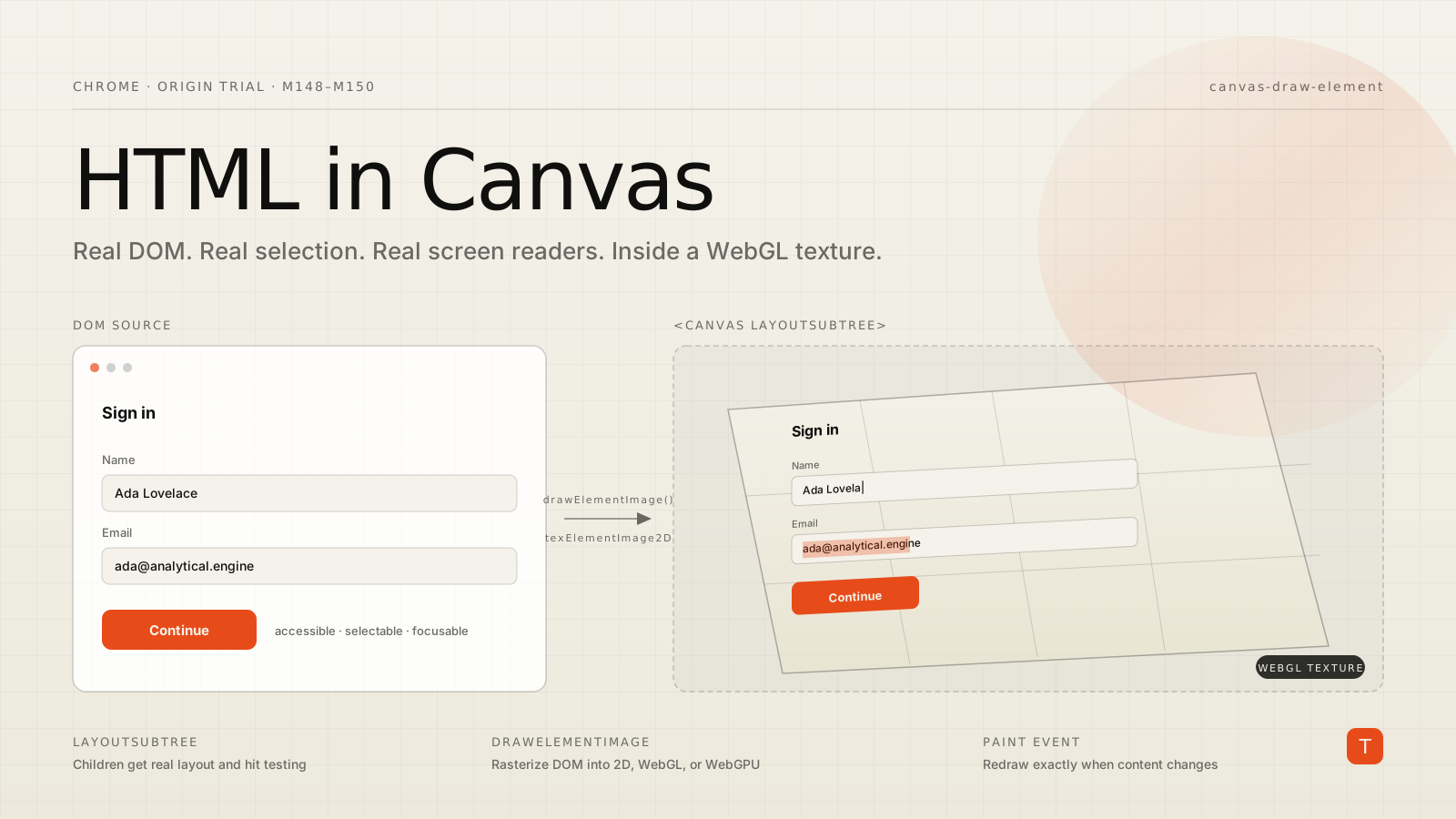
If you have ever shipped a serious canvas-based product — a design tool, a document editor, a 3D scene — you've lived with the same compromise. The canvas gives you pixel-level performance and total visual control. The moment you draw text into it, you lose almost everything the browser would otherwise give you for free: copy and paste, find-in-page, screen readers, translation, browser zoom, autofill, even reliable text rendering. Figma rebuilt its own text engine. Google Docs rebuilt its own text engine. Every WebXR scene with a label on a button has had to choose between looking right and behaving right.
Chrome is now running an origin trial for an API that erases the tradeoff. The HTML-in-Canvas API lets you draw real, live DOM elements directly into a 2D canvas or a WebGL/WebGPU texture, with the DOM still handling layout, events, accessibility, and every other browser integration that normally dies inside a canvas. The origin trial runs from Chrome 148 through 150, and as of mid-May 2026 you can try it locally in Chrome Canary 149+ or Brave Stable behind chrome://flags/#canvas-draw-element.
The DOM-versus-canvas tax
The DOM gives you semantic content the browser understands. Highlight text, Ctrl+C copies the right thing. Hit Ctrl+F, the browser finds the word. Turn on a screen reader, the content reads in order. Install a translation extension, the page translates. None of that requires code from you.
A <canvas> is a grid of pixels. The browser cannot reason about what's drawn into it, so every one of those affordances breaks. Text is no longer text — it's pixels that look like text. Recovering any of those features means reimplementing the corresponding browser feature in JavaScript, which is exactly why Figma and Google Docs have text-engine specialists on payroll.
For 3D scenes the gap is worse. Putting interactive UI on a WebGL or WebGPU surface has historically meant absolutely-positioned DOM overlays with manual position math, or rasterizing HTML offscreen with html2canvas and uploading it as a static texture that loses interactivity the moment you do. Neither approach gives you a button on a 3D mesh that you can actually tab to.
What the new API actually adds
The Chrome team's design is deliberately small. The whole surface area is three things.
First, a new layoutsubtree attribute on <canvas>. Put it on the element, and the children inside the canvas tag get real DOM layout and hit testing. They behave like normal HTML — focusable, accessible, reachable by the cursor — but they stay invisible until you draw them into the canvas yourself.
Second, a drawElementImage(element, x, y) method on the 2D rendering context. It rasterizes the element into the canvas at the current transform, and returns a DOMMatrix that describes where on screen the drawn pixels end up. You apply that matrix back to element.style.transform so the DOM's hit region tracks the rendered pixels. WebGL has a parallel texElementImage2D and WebGPU has copyElementImageToTexture.
Third, a paint event on the canvas that fires whenever any of the children's rendering changes — caret blinking, hover state, text being typed, an image finishing decode. That's your cue to redraw. Without it you would either be polling on requestAnimationFrame and burning battery, or guessing when a child needs to be re-rasterized.
A minimal 2D example, drawn straight from the official docs:
<canvas id="canvas" style="width: 200px; height: 200px;" layoutsubtree>
  <div id="form_element">
    <label for="name">Name:</label>
    <input id="name" type="text">
  </div>
</canvas>
const canvas = document.getElementById('canvas');
const ctx = canvas.getContext('2d');
const formElement = document.getElementById('form_element');

canvas.onpaint = () => {
  ctx.reset();
  const transform = ctx.drawElementImage(formElement, 0, 0);

  // Keep the DOM hit region aligned with the drawn pixels
  formElement.style.transform = transform.toString();
};
The form is real. The input takes keyboard focus. Selection works. A screen reader reads "Name, edit text" in the right order. And yet the only thing actually painted to the screen is whatever the canvas drew.
Where it gets interesting: textures on a mesh
The 2D case is useful, but the reason this API matters is what it does to WebGL and WebGPU. You can take an entire DOM subtree — a form, a paragraph, a data table — and upload it as a texture on a 3D surface, and have it remain interactive.
Three.js shipped experimental support using a new THREE.HTMLTexture:
const material = new THREE.MeshBasicMaterial();
material.map = new THREE.HTMLTexture(uiElement);

const geometry = new THREE.BoxGeometry(1, 1, 1);
const mesh = new THREE.Mesh(geometry, material);
scene.add(mesh);
PlayCanvas has equivalent support. The chrome.dev demo collection has a WebGL 3D book whose pages are real HTML — change the font in CSS, translate the page in Chrome, both work — and a WebGPU jelly slider that runs an <input type="range"> underneath a refractive shader.
The trickier piece is hit testing. On a WebGL/WebGPU surface the on-screen location of an element depends on shaders, not on canvas-context state, so Chrome can't compute the transform for you. The API gives you canvas.getElementTransform(element, screenSpaceMatrix) and asks you to feed it a matrix that maps from your shader's clip space back to CSS pixels. That math — convert MVP to a DOMMatrix, normalize from element pixels to a unit square, scale and flip Y to map back to the canvas viewport, multiply in the right order — is essentially the same thing your shaders are already doing. It's not difficult, just careful.
What this does not do
A few honest limits worth flagging before you reach for it.
It does not work with cross-origin iframes, and the explainer is explicit that this is a security and privacy decision, not a temporary limitation. If you're embedding a third-party widget, you cannot rasterize it into your canvas.
It runs on the main thread. Anything inside a canvas is drawn from JavaScript, which means scrolling and CSS animations inside the canvas can't update independently of your script the way they would in normal DOM. If your design has long scrollable text inside a canvas, you'll want to scroll the entire canvas rather than scrolling content within it.
It's a Chrome origin trial. As of the trial registration, it ships only in Chromium browsers from M148 through M150. Firefox and Safari have not committed. So this is an enhancement you opt into for users on a supporting browser, not a foundation you build a product on.
When this is worth your time today
You don't need to be Figma to benefit. Three situations where shipping behind a feature flag is reasonable now:
You have a canvas-heavy app and you've written your own text rendering or form controls. Replacing even one of those with DOM-in-canvas removes a large pile of bug-prone code and instantly restores accessibility — which is increasingly a procurement requirement, not a nice-to-have.
You ship a 3D marketing experience or product configurator that uses HTML overlays for labels. Moving those labels onto the geometry itself lets the typography respect perspective and lighting, which is much closer to what the design comp actually wanted.
You build dashboards or charting libraries that render with WebGL for performance. Real DOM tooltips and legends on a WebGL chart — with all the keyboard navigation and screen reader support that implies — was effectively impossible before, and is a few hundred lines now.
For anything you ship, scope the rollout: register the trial for the route, gate the new code path behind a feature flag, fall back to existing rendering for users not in the trial, and instrument both paths.
Actionable takeaways
Three things worth doing this week, ahead of the trial ending in Chrome 150.
First, install Chrome Canary or run Brave Stable, enable the canvas-draw-element flag, and walk through the chrome.dev demos. Twenty minutes of clicking around a 3D book whose pages are real HTML will rewire your sense of what's possible.
Second, if you maintain a canvas-based app, audit it for places where you're reinventing the DOM — custom text editors, custom form controls, custom selection logic. Any of those is a candidate for replacement, and replacing one is a small enough experiment to ship behind a flag.
Third, if you ship 3D content, look at the Three.js or PlayCanvas integration and prototype a single interactive surface. The cost is low and the demo value is high.
The HTML-in-Canvas API isn't a silver bullet. It's the platform finally taking a side in a fight it created.