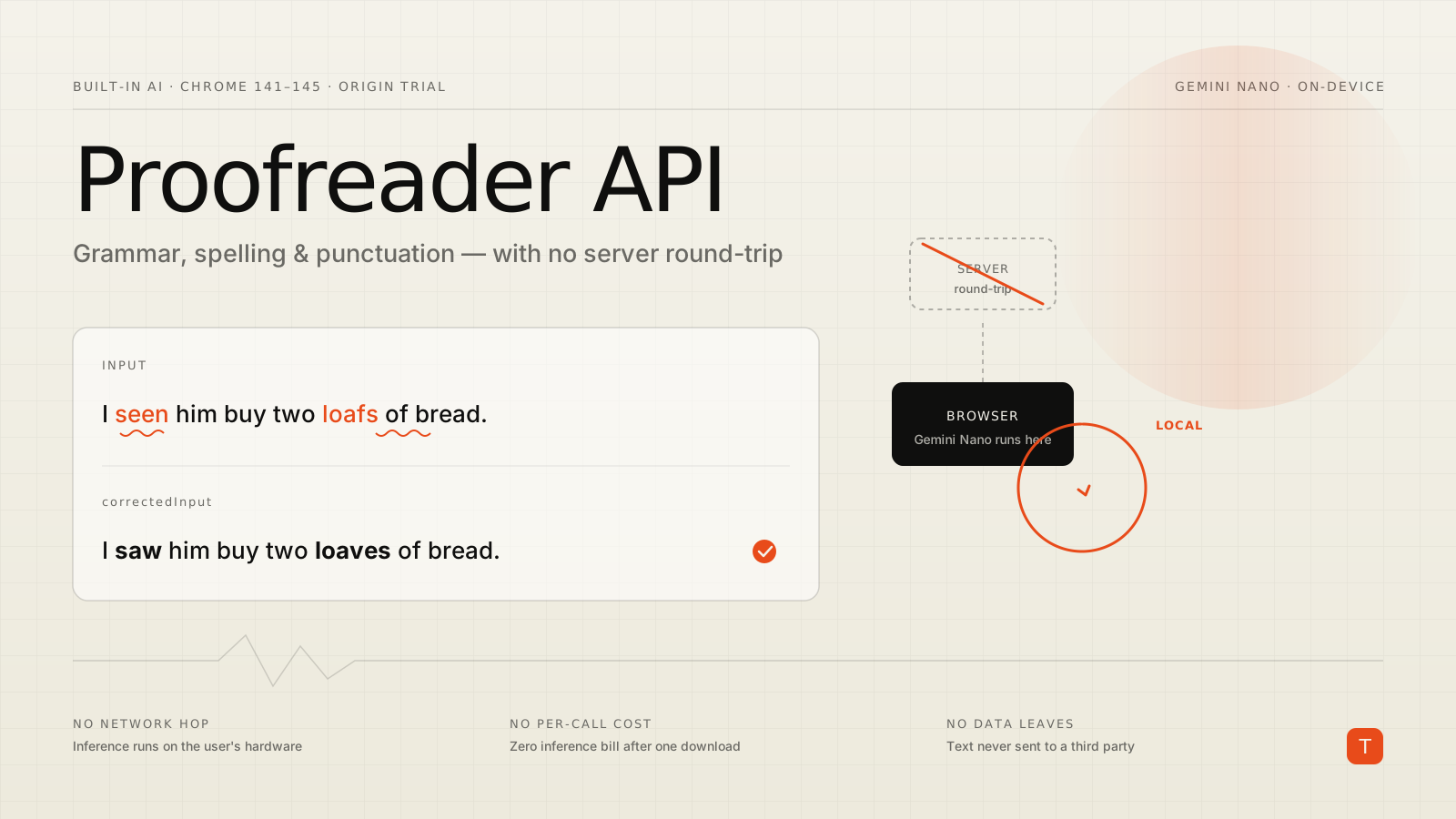
Every text box that offers "smart" grammar suggestions today is usually doing the same thing under the hood: keystroke by keystroke, it ships the user's draft to a server, runs a model, and ships corrections back. That works, but it costs you a round-trip on every check, a per-call inference bill, and — the part that makes legal nervous — a copy of whatever the user typed leaving the device. For comment boxes, support forms, and note-taking apps, that is a lot of infrastructure to spell-check a sentence.
Chrome's Proofreader API takes the server out of the loop. It runs Gemini Nano, Chrome's built-in on-device model, directly in the browser to correct grammar, spelling, and punctuation. The text never leaves the machine. As of this writing it is in an origin trial running from Chrome 141 to 145, which means you can ship it to real users behind a token today and measure whether on-device proofreading is good enough for your use case.
What the API actually does
The Proofreader API is deliberately narrow. It is not a chat model and not a rewriter — it proofreads. Given a string, it returns the corrected version plus a structured list of what it changed. Each correction carries the character range it applies to and a label for the type of error, so you can render inline highlights instead of just swapping the text out from under the user.
That structured output is the difference between this and piping text through a generic LLM prompt. You do not get a blob of "here's a better version"; you get positions you can underline and categories you can explain. That maps cleanly onto the proofreading UI patterns people already expect from word processors.
The canonical use cases the Chrome team calls out are exactly the high-frequency, low-stakes ones: suggesting corrections to forum posts, article comments, and emails before they are submitted, and live correction during note-taking. These are places where a server round-trip per keystroke is overkill but a polished result still matters.
Feature detection and model availability
Built-in AI is not a normal API where the code is either present or not. The interface may exist while the underlying model still needs to be downloaded. So the first thing your code does is ask about availability, not just check for the global.
if (!('Proofreader' in self)) {
  // API not present — fall back to your server-side checker.
  return;
}

const status = await Proofreader.availability({
  expectedInputLanguages: ['en'],
});
// status is one of: "unavailable", "downloadable",
// "downloading", or "available"
A response of "available" means the model is ready and proofreading will be effectively instant. "downloadable" or "downloading" means Gemini Nano is not on the device yet — and that download is large, so you should treat it as a real state in your UI, not an afterthought. If the result is "unavailable", the device does not meet the requirements and you should fall back to whatever you used before.
Those requirements are worth knowing before you commit, because they are stricter than a typical web feature. Per the Chrome documentation, the model needs roughly 22 GB of free storage on the Chrome profile's volume at download time, more than 4 GB of VRAM (or a CPU path with 16 GB of RAM and four-plus cores), and a desktop OS — Windows 10/11, macOS 13+, Linux, or ChromeOS on Chromebook Plus. Android and iOS are not supported yet. This is a desktop-first, capable-hardware feature, which is exactly why feature detection and a graceful fallback are non-negotiable.
Creating a proofreader and handling the download
Once the model is downloadable, you create an instance with Proofreader.create(). Because the download can take time, the constructor accepts a monitor callback that emits downloadprogress events. Kick this off behind a user gesture — a click or focus — rather than on page load, both for user-activation reasons and to avoid surprising people with a background download.
const proofreader = await Proofreader.create({
  expectedInputLanguages: ['en'],
  monitor(m) {
    m.addEventListener('downloadprogress', (e) => {
      // e.loaded runs 0 → 1
      updateProgressBar(Math.round(e.loaded * 100));
    });
  },
});
The expectedInputLanguages array is the main option; it hints which languages you expect so the model can prepare accordingly. After the promise resolves, the proofreader is ready and every subsequent call is local and fast.
Proofreading and rendering corrections
The working call is proofread(). It takes the input string and resolves to a ProofreadResult:
const result = await proofreader.proofread(
  'I seen him yesterday at the store, and he bought two loafs of bread.'
);

console.log(result.correctedInput);
// → "I saw him yesterday at the store, and he bought two loaves of bread."
The fully corrected string lives on correctedInput. If that is all you need, you are done. But the more interesting field is corrections — an array where each entry describes a single change with a startIndex and endIndex into the original text plus the error type. That lets you highlight the offending span in place rather than silently replacing the whole input:
const input = textarea.value;
const result = await proofreader.proofread(input);

let cursor = 0;
const frag = document.createDocumentFragment();

for (const correction of result.corrections) {
  // Plain text before this correction.
  if (correction.startIndex > cursor) {
    frag.append(
      document.createTextNode(input.slice(cursor, correction.startIndex))
    );
  }
  // The errored span, wrapped so CSS can underline it.
  const mark = document.createElement('span');
  mark.className = 'proofread-error';
  mark.textContent = input.slice(correction.startIndex, correction.endIndex);
  frag.append(mark);

  cursor = correction.endIndex;
}

// Whatever remains after the last correction.
if (cursor < input.length) {
  frag.append(document.createTextNode(input.slice(cursor)));
}

editorView.replaceChildren(frag);
Because the indices reference the original string, you walk the text once, emitting plain runs and highlighted runs in order. That is the same approach the official playground demo uses, and it is the pattern that makes the API feel like a real proofreading surface instead of a find-and-replace.
The performance and privacy case
The reason to care about this is not novelty — it is the shape of the cost. A server-side checker has three recurring taxes: latency, money, and data exposure. On-device proofreading zeroes out all three after the one-time model download.
Latency drops because there is no network hop. Once Gemini Nano is resident, proofread() returns without touching the wire, so you can run it on every pause in typing without worrying about a request queue or a rate limit. The model download is the one real cost, and the documentation is explicit that no data is sent to Google or any third party when the model runs — the network is only needed for that initial fetch.
The money tax disappears too. There is no per-call inference charge because the inference happens on the user's hardware. For a high-volume surface — a comment field on a busy site, a support portal, an internal notes tool — that is the difference between a metered API line item and a feature that costs nothing per use.
And the data tax is the one your compliance team will notice. Text that never leaves the browser is text you are not transmitting, logging, or storing on a server. For drafts, private notes, and anything a user might consider sensitive, "the proofreading happened locally" is a materially stronger privacy posture than "we send it to a vendor and trust their retention policy."
Where it does not fit — yet
This is an origin trial, and the constraints are real. It is Chromium-only and desktop-only, the hardware bar is high, and the model download is heavy. So the Proofreader API is not a replacement for a server-side checker — it is a progressive enhancement on top of one. The right architecture is to feature-detect, use on-device proofreading when the model is available, and fall back to your existing path everywhere else. You get the latency, cost, and privacy wins for the subset of users who qualify, with no regression for anyone who does not.
It is also worth setting expectations on quality. Gemini Nano is a small model tuned to run on a laptop, not a frontier system. For everyday grammar, spelling, and punctuation it is well suited; for nuanced style or domain-specific correctness you should still verify against your real content before trusting it. The API is under active development and its surface can still change before it stabilizes, so treat trial code as something you will revisit.
Takeaways
If your product has a text surface where users would benefit from inline grammar help — comments, support tickets, draft emails, notes — the Proofreader API is worth a spike now. Register for the origin trial, gate the feature behind 'Proofreader' in self plus an availability() check, and wire the monitor callback so the model download is a visible, intentional step rather than a mystery stall.
Build it as enhancement, not dependency: on-device when the hardware and model allow, server-side fallback otherwise. The payoff is concrete — no per-keystroke round-trip, no per-call inference bill, and user text that never leaves the device. That combination is hard to get any other way, and it is exactly the kind of capability that is quietly moving from the server into the browser.
Sources: The Proofreader API — Chrome for Developers · Join the Proofreader API origin trial — Chrome for Developers · Built-in AI: get started — Chrome for Developers