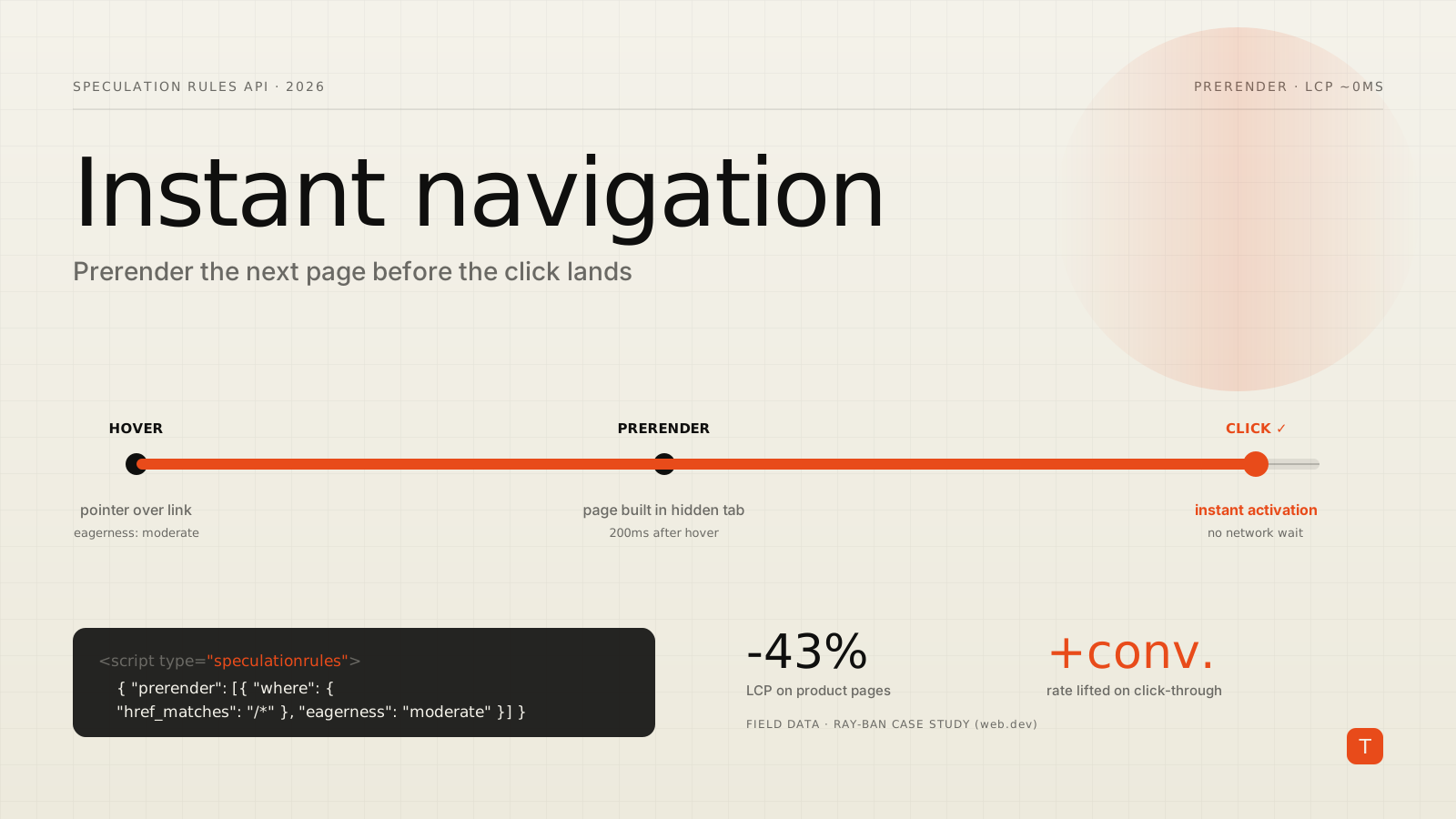
The fastest page load is the one that already happened. That is the whole idea behind the Speculation Rules API: let the browser prefetch — or fully prerender — the page a user is most likely to visit next, so that when they click, the navigation resolves in something close to zero milliseconds. It is one of the few performance levers that can move both your Core Web Vitals and your business KPIs at the same time, and after several rounds of refinement it has become genuinely practical to deploy on a real site.
If your only mental model of "preloading" is a scattering of <link rel="prefetch"> tags, this API is a step change. It separates which URLs to speculate on from when to speculate, adds automatic link discovery, and — critically — can prerender an entire page in a hidden tab, running its scripts and painting its layout in advance. This post walks through how it actually works, where the sharp edges are, and what a production rollout looks like.
List rules vs. document rules
There are two ways to tell the browser what to speculate on. The original approach is a list rule: you hand over an explicit set of URLs.
<script type="speculationrules">
{
  "prerender": [
    { "source": "list", "urls": ["/checkout", "/cart"] }
  ]
}
</script>
List rules are perfect when the next step is obvious — a checkout flow, a "next article" link, a wizard. But maintaining URL lists per page is tedious. The bigger unlock is document rules, which source URLs from the page itself using a where condition, so a single ruleset can cover an entire site:
<script type="speculationrules">
{
  "prerender": [{
    "source": "document",
    "where": {
      "and": [
        { "href_matches": "/*" },
        { "not": { "href_matches": "/logout/*" } }
      ]
    },
    "eagerness": "moderate"
  }]
}
</script>
You can match on CSS selectors instead of, or alongside, href patterns — handy when you want to prerender only product tiles or navigation links and nothing else. Since Chrome 122 the source key is even optional; the browser infers it from the presence of urls versus where.
Eagerness: the knob that matters most
Prerendering every link on a page would be wildly wasteful, so the API pairs link discovery with an eagerness setting that controls when speculation fires. Per Chrome's documentation on the API's improvements, there are four levels:
immediate— speculate as soon as the rules are seen.eager— currently behaves likeimmediate, intended to sit between immediate and moderate in future.moderate— speculate after hovering a link for 200ms on desktop (or onpointerdownif sooner, and on touch devices where there is no hover).conservative— speculate only on pointer or touch down.
The defaults are deliberate: list rules default to immediate, while document rules default to conservative, because a document can contain a lot of links. For most sites, moderate is the sweet spot — a single hover-triggered document rule gives you meaningful lead time without prerendering things nobody will click:
<script type="speculationrules">
{
  "prerender": [{
    "where": { "href_matches": "/*" },
    "eagerness": "moderate"
  }]
}
</script>
Chrome has continued tuning these heuristics for touch devices, where there is no hover to lean on. As documented in the prerender pages guide, mobile moderate speculation now uses viewport-based heuristics rather than waiting for an interaction that may never come — so the same ruleset behaves sensibly across form factors.
Chrome's built-in guardrails
You are not the only line of defense against over-speculation; the browser imposes hard limits. The interaction-driven levels use a small first-in-first-out queue, while the eager levels get a larger budget:
| Eagerness | Prefetch | Prerender |
|---|---|---|
immediate / eager |
50 | 10 |
moderate / conservative |
2 (FIFO) | 2 (FIFO) |
When a moderate speculation exceeds the limit of two, the oldest is canceled to make room. That is less punishing than it sounds: prior speculation warms the HTTP cache, so re-speculating a link the user hovers again is much cheaper the second time.
Chrome also suppresses speculation entirely under conditions where it would hurt the user: Save-Data mode, energy-saver mode, low memory, background tabs, and when the browser's "Preload pages" setting is off (which extensions like uBlock Origin disable). Treat speculation as an enhancement, never a dependency.
Deploying without editing every page
Two features make rollout a CDN or platform concern rather than a per-template chore. First, rules can be delivered via a Speculation-Rules HTTP header pointing at a JSON file, so an edge worker can inject them globally:
Speculation-Rules: "/speculationrules.json"
The referenced file needs the right MIME type (application/speculationrules+json) and, cross-origin, a passing CORS check. Second, the No-Vary-Search support means URLs that differ only by client-side parameters — UTM tags, tracking IDs — can reuse a single cached prefetch instead of fetching again. Declare it with expects_no_vary_search so the browser waits for the in-flight prefetch rather than racing it.
On the platform side, this is increasingly a one-click affair: the WordPress Speculation Rules plugin and CDNs like Akamai expose speculation as a settings toggle, and Astro shipped experimental client prerendering behind a config flag.
What it does to the numbers
The theory is compelling, but the field data is what makes the case. Ray-Ban rolled out prerendering on its ecommerce platform and published the results on web.dev. On desktop they prerendered product tiles on hover with moderate eagerness; on mobile, where hover does not exist, they used immediate on the first few most-clicked tiles.
The Largest Contentful Paint on product detail pages dropped from 4.69s to 2.66s on mobile and 3.03s to 1.74s on desktop — a roughly 43% improvement on both. Those are CrUX field numbers, not lab estimates. The business side moved with them: conversion rate on product pages rose sharply and exit rates fell by about 13% across devices.
Ray-Ban then made the same pages eligible for back/forward cache (bfcache), which restores a full in-memory snapshot on back and forward navigation. On listing pages where back/forward traffic was significant, moving the bfcache hit rate from near zero to the low seventies cut LCP by around 28% and CLS by over 80%. The eligibility fixes were mundane — avoid the unload event, close IndexedDB and RTC connections on pagehide, and stop sending Cache-Control: no-store where it is not needed — which is exactly why bfcache is worth auditing before you reach for anything more exotic.
Rolling it out safely
A pragmatic sequence for adopting this on a production site:
- Fix bfcache first. It is free instant back/forward navigation and often just requires removing an
unloadhandler and a strayno-store. Verify eligibility in DevTools under Application → Back/forward cache. - Add one
moderatedocument rule scoped to your highest-intent links — product tiles, primary nav, the next step in a funnel. Start with prefetch if prerender feels risky, then graduate. - Watch the waste. Use the Speculations pane in DevTools (Application → Speculative loads) to confirm you are prerendering pages people actually click, and lean on
href_matchesexclusions for logout, mutations, and anything with side effects. - Never prerender destructive actions. A prerender runs the page's scripts. Exclude any URL that adds to a cart, logs out, or triggers a write on load, and use the Prerender pages guide to gate analytics behind activation.
Speculative loading is one of the rare optimizations where a few lines of markup translate directly into a faster site and measurably better outcomes. Start conservative, measure the prerender hit rate, and expand the where condition as your confidence grows.
Sources: Prerender pages in Chrome, Improvements to the Speculation Rules API, and the Ray-Ban case study on web.dev.