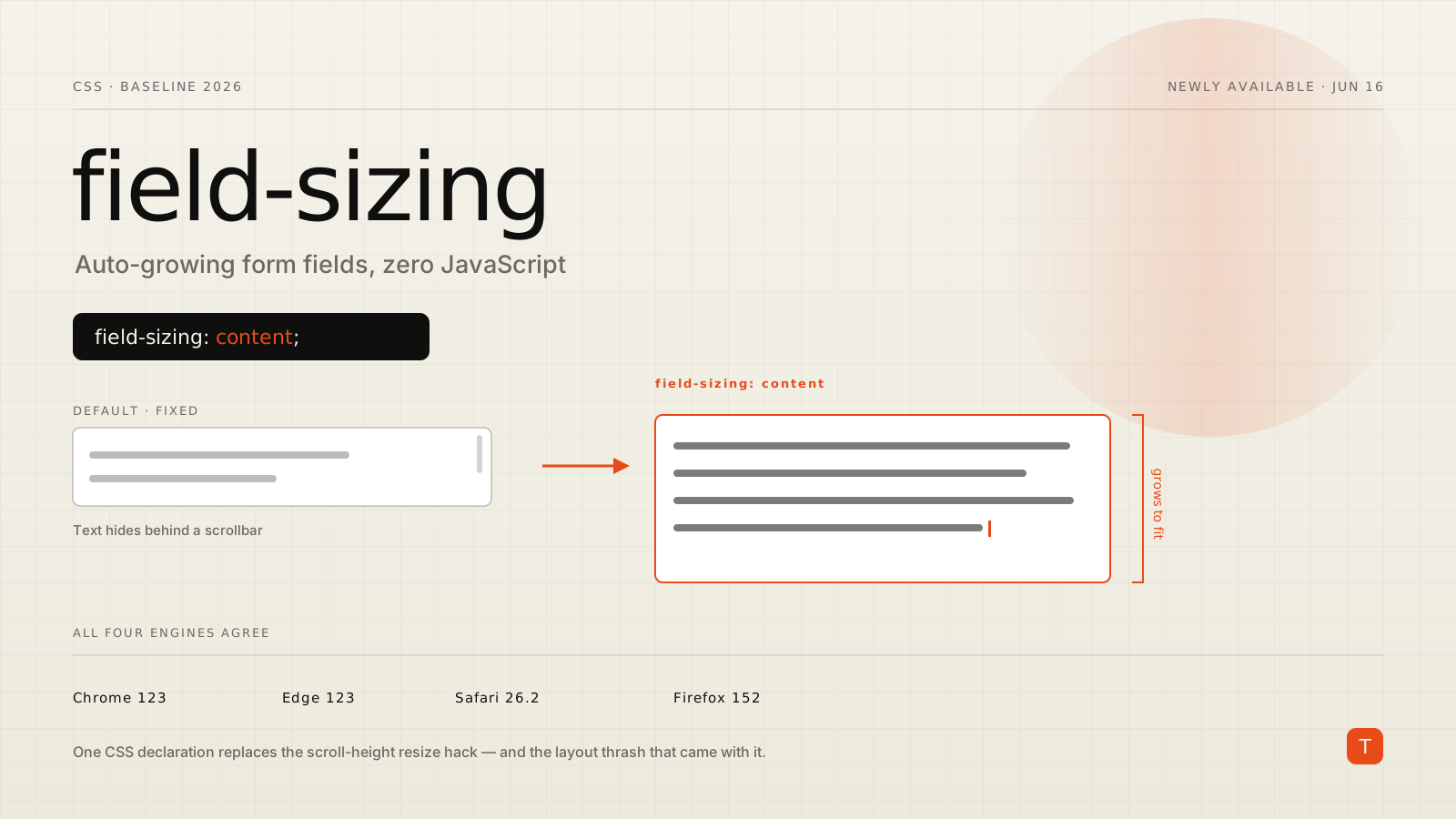
The auto-growing textarea is one of those deceptively small features that every product eventually needs and every team implements badly. A comment box, a chat composer, a support form — they all want a field that starts short and grows as the user types instead of trapping text behind a tiny scrollbar. HTML never gave us a way to do that, so the web spent roughly twenty years faking it with JavaScript.
That workaround is now obsolete. On June 16, 2026, Firefox 152 shipped support for the CSS field-sizing property, which pushed the feature to Baseline Newly available. It already worked in Chrome and Edge (since version 123, March 2024) and Safari (since 26.2, December 2025). With Firefox on board, all four major engines now agree, and you can size a form control to its content with a single declaration.
The JavaScript you get to delete
Here is the pattern that has shipped in a thousand codebases. Listen for input, reset the height to auto, then set it to scrollHeight:
const textarea = document.querySelector('.composer');

function autoGrow() {
  textarea.style.height = 'auto';
  textarea.style.height = textarea.scrollHeight + 'px';
}

textarea.addEventListener('input', autoGrow);
autoGrow(); // size correctly on load / restored drafts
It works, but it has real costs. Reading scrollHeight immediately after writing height forces a synchronous layout — the browser has to recalculate geometry mid-keystroke, on every keystroke. On a busy page with a large form, that shows up as input lag. You also have to remember to call it on load, after programmatic value changes, on paste, and on resize, and none of it survives if the component re-renders without re-running the effect. Libraries like autosize and React wrappers exist precisely because getting all of that right by hand is tedious.
The replacement is CSS:
.composer {
  field-sizing: content;
  min-block-size: 3lh;
  max-block-size: 12lh;
}
field-sizing: content tells the browser to size the control to what is inside it. The textarea now grows as text is entered and shrinks when it's deleted, with no event listeners, no forced layout, and no first-render flash. The browser handles paste, autofill, restored form state, and dynamic value changes for free, because it is measuring the control's own content the same way it measures any other box.
How it actually behaves
The property has exactly two values. The default is fixed — the classic behavior where a control keeps whatever width or height its attributes and CSS give it. Setting content switches it to intrinsic sizing based on the current value or, when the field is empty, its placeholder. That last detail matters: with field-sizing: content, a long placeholder becomes the field's starting size, so choose placeholder text with the empty-state layout in mind.
Because a content-sized field can collapse to almost nothing or stretch across the viewport, you constrain it with min/max sizing rather than a fixed dimension. The Chrome team calls this defensive CSS, and a good starting point uses relative units so the limits track the font:
textarea {
  field-sizing: content;
  min-block-size: 3lh;   /* never shorter than 3 lines */
  max-block-size: 12lh;  /* cap growth, then scroll */
  min-inline-size: 20ch;
  max-inline-size: 60ch;
}
The lh unit resolves to the element's line height, which makes "at least three lines tall, at most twelve" express itself directly. ch ties the width to the character advance of the font. Cap max-block-size and the textarea scrolls once it hits the ceiling instead of pushing the rest of your form off the screen — the behavior you almost always want in a fixed-height chat panel or a modal.
It is not only textareas
field-sizing applies to the whole family of sized form controls, which is where it stops being a single-purpose trick and starts being a layout tool:
<textarea>grows and wraps as described above.<input type="text | email | number">collapses to its placeholder or value and grows inline as you type, clipping once it reachesmax-inline-size. Useful for inline-edit fields and tag inputs that should hug their content.<select>shrinks to fit the currently selected option instead of reserving space for the widest one. A<select multiple>grows to fit the widest option and as tall as its option count.<input type="file">sizes to the button plus the chosen filename.
A search box that starts compact and expands as the query grows, a quantity input that is exactly as wide as its digits, a language picker that is only as wide as "English" until someone chooses "Português (Brasil)" — these used to be JavaScript width calculations. Now they are one property.
The performance argument
This site cares about how fast pages feel, so it's worth being explicit about why the CSS version is not just less code but genuinely faster. The JavaScript approach couples every keystroke to a forced reflow through the classic read-after-write anti-pattern: you set a style, then read a layout property, and the browser must flush pending layout to answer. Do that inside an input handler and you have put layout thrash directly on the typing hot path — one of the more common causes of a poor Interaction to Next Paint score on form-heavy pages.
field-sizing: content moves the work into the engine's normal layout pass. There is no scripting on input, no listener to schedule, and no intermediate frame where the field is the wrong size before JavaScript corrects it. You also delete the bytes: a typical autosize helper plus its framework glue is a few kilobytes that no longer need to be parsed, and every removed input listener is one fewer main-thread task competing with the user's next interaction.
Shipping it safely
field-sizing is pure progressive enhancement, so you don't need to wait for it to reach Widely available (currently projected for late 2028) to use it in production. Any engine that doesn't recognize the property ignores the declaration and renders a normal fixed-size control — a fully functional field, just without the growth. There is nothing to feature-detect and nothing to polyfill; the CSS either applies or is skipped.
That means the migration is low-drama. Add field-sizing: content and sensible min/max constraints to your textarea and input styles, then remove the autosize script and its listeners. Users on current Chrome, Edge, Firefox, and Safari get the smooth growing field; anyone on an older browser gets the same static textarea they had before you started. If you want to be thorough, you can keep the JavaScript behind an @supports not (field-sizing: content) guard for a release or two, but for most products the plain fallback to a fixed field is perfectly acceptable.
If you still need the script as a fallback, gate it so it never runs where CSS already handles the job:
if (!CSS.supports('field-sizing', 'content')) {
  // attach the legacy autosize handler here
}
Takeaways
field-sizing crossing into Baseline is a small change with a satisfying amount of cleanup attached. Audit your codebase for scrollHeight-based textarea resizing and any autosize-style dependency; those are now deletion candidates. Replace them with field-sizing: content plus min-block-size, max-block-size, and matching inline constraints in relative units. Reach for the same property when you want inputs, selects, or file pickers that hug their content instead of reserving worst-case space. And treat the whole thing as progressive enhancement — ship the CSS, keep the native control as the fallback, and let the browser do the measuring it was always better at than your input handler.
Sources: Web features explorer: field-sizing · Chrome for Developers: CSS field-sizing · MDN: field-sizing