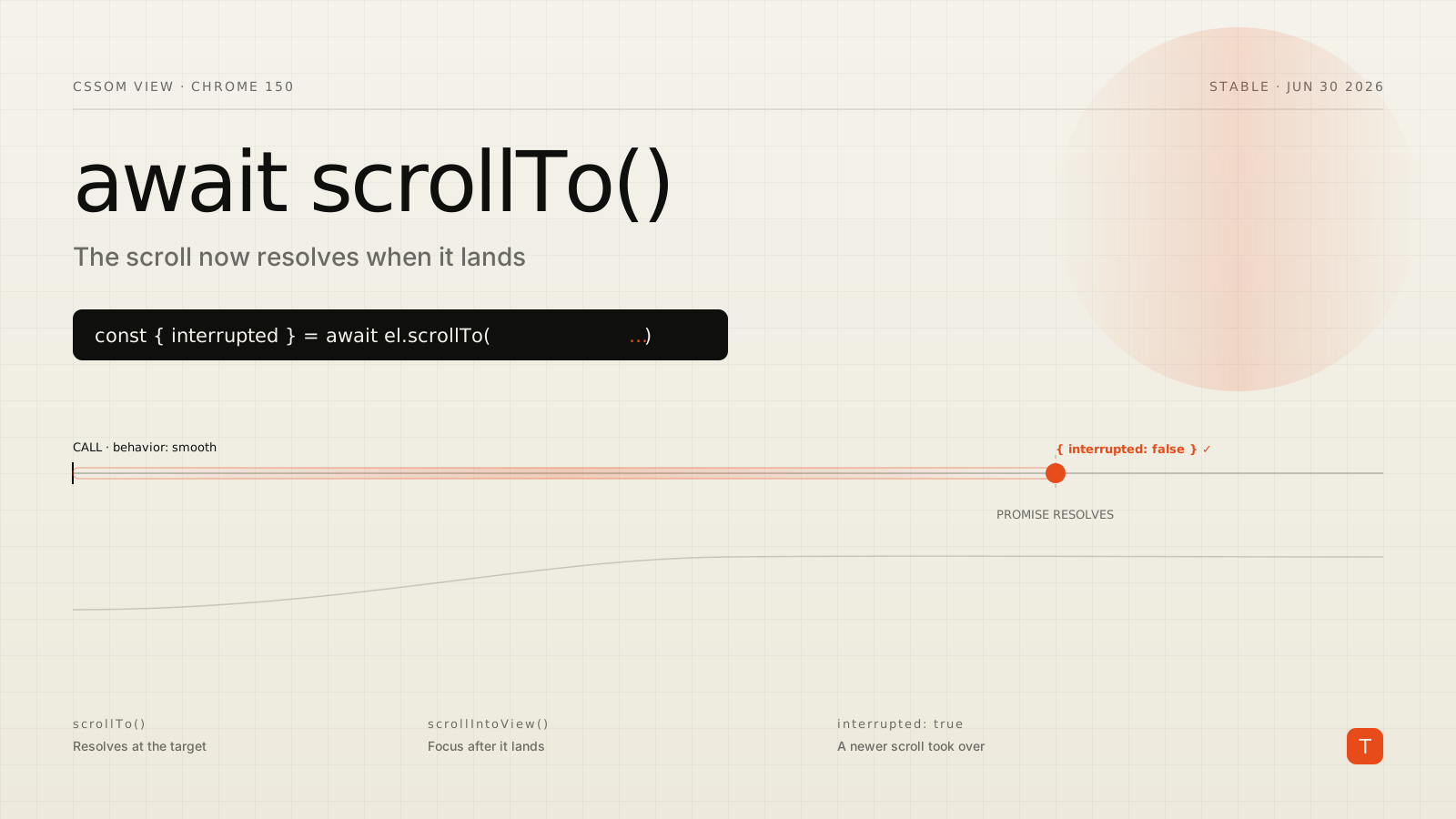
If you have ever written element.scrollTo({ top: 0, behavior: "smooth" }) and then needed to do something after the scroll lands — focus a heading, kick off an animation, restore a saved position — you already know the awkward part. The call returns immediately. The scroll keeps animating for a few hundred milliseconds. And the browser gives you nothing to await.
For years the workarounds have all been variations on a guess: listen for the scrollend event, poll scrollTop until it stops changing, or just hardcode a setTimeout and hope the animation finishes in time. None of them are clean, and all of them break in the one case that matters most — when a second scroll interrupts the first.
Chrome 150, stable since June 30, 2026, fixes this at the platform level. The programmatic scroll methods now return a Promise that resolves when the scroll completes, and the resolved value tells you whether the scroll finished cleanly or got interrupted.
What actually changed
The CSSOM View Module update gives every programmatic scroll method a return value. That covers Element.scrollTo(), Element.scroll(), Element.scrollBy(), and Element.scrollIntoView(), plus their Window equivalents. Each one now returns a Promise that fulfills with a small result object:
const result = await element.scrollTo({ top: 0, behavior: "smooth" });
// result === { interrupted: false }
The object has a single property today: interrupted, a boolean. It's false when the scroll ran all the way to its target, and true when something cut it short — most commonly, another programmatic scroll fired on the same element before the first one finished.
That one boolean is the piece that was impossible to get reliably before. The old scrollend event tells you a scroll ended, but not which scroll ended or why. If two scrolls race, you can't tell from scrollend alone whether your target was reached or overridden. The Promise resolves per call, so each scroll reports its own fate.
The pattern this replaces
Here's the kind of code that used to be necessary just to run something after a smooth scroll. You'd attach a one-shot scrollend listener and race it against a timeout in case no scroll actually happened:
function scrollAndThen(el, options) {
  return new Promise((resolve) => {
    let done = false;
    const finish = () => {
      if (done) return;
      done = true;
      el.removeEventListener("scrollend", finish);
      resolve();
    };
    el.addEventListener("scrollend", finish, { once: true });
    el.scrollTo(options);
    // Fallback: if position didn't change, scrollend never fires.
    setTimeout(finish, 1000);
  });
}
It works, mostly. But it can't distinguish a completed scroll from an interrupted one, the timeout is a magic number, and you carry this helper into every project. With Chrome 150 the whole thing collapses into the call itself:
async function scrollAndThen(el, options) {
  const { interrupted } = await el.scrollTo(options);
  if (interrupted) return; // a newer scroll took over — bail out
  // ...do the thing that depends on the scroll having landed
}
The interrupted check is not a nicety. It's what keeps you from, say, focusing an element or firing analytics for a scroll the user already abandoned by scrolling somewhere else.
A real example: focus after scroll
A common accessibility pattern is "scroll to a section, then move focus to its heading" so keyboard and screen-reader users land in the right place. Doing this correctly means waiting for the scroll to finish — focusing mid-animation can yank the viewport and undo the smooth motion.
async function goToSection(id) {
  const section = document.getElementById(id);
  const heading = section.querySelector("h2");

  const { interrupted } = await section.scrollIntoView({
    behavior: "smooth",
    block: "start",
  });

  // Only take over focus if this scroll actually completed.
  if (!interrupted) {
    heading.setAttribute("tabindex", "-1");
    heading.focus({ preventScroll: true });
  }
}
preventScroll: true matters here because the scroll has already happened — you don't want focus() to trigger a second one. And gating the focus on !interrupted means that if the user rapidly clicks three anchor links, only the last scroll moves focus, not all three fighting over it.
Feature detection
This is a progressive enhancement: on older browsers the scroll still works, it just doesn't return a Promise. So detect the capability before you await it. The cleanest test is to run a no-op scroll and check whether the return value is a Promise:
function supportsScrollPromises(el = document.documentElement) {
  const test = el.scroll(0, el.scrollTop); // scroll to current position
  return test instanceof Promise;
}
Note the no-op: scrolling to the current position doesn't move anything, so it's safe to run as a probe. Wrap your await logic accordingly:
async function scrollTo(el, options, onDone) {
  if (supportsScrollPromises(el)) {
    const { interrupted } = await el.scrollTo(options);
    if (!interrupted) onDone?.();
  } else {
    el.scrollTo(options);
    // Fall back to your scrollend/timeout helper here.
    onDone?.();
  }
}
If you're shipping to a mixed browser base, keep your old scrollend fallback around for now and let the Promise path take over where it's available. Firefox and Safari haven't shipped this yet as of this writing, so treat it as an enhancement, not a dependency.
Why this is a performance win, not just a convenience
It's tempting to file this under developer ergonomics, but there's a runtime story too. The scrollend + setTimeout pattern keeps a listener and a timer alive for every scroll, and the timeout fallback means you're often waiting the full fallback duration even when the scroll finished early. Multiply that across a page with a sticky nav, a table of contents, and a "back to top" button, and you accumulate handlers and stray timers that all touch layout-adjacent state.
The Promise approach resolves exactly when the compositor reports the scroll is done — no polling, no arbitrary delay, no leftover listeners. For interaction-heavy UIs this is the difference between reacting on the next frame after the scroll lands and reacting a second later because your fallback timer hadn't expired. When you're optimizing INP, removing speculative timers from your interaction handlers is squarely on-theme: less scheduled work per tap means fewer long tasks competing with the next paint.
There's also a correctness dimension. Because each Promise is tied to a specific scroll call, you stop mis-attributing completion across overlapping scrolls. That eliminates a whole class of "why did the wrong element get focus / why did the animation double-fire" bugs that come from treating a global scrollend as if it belonged to your specific call.
Watch the edges
A few behaviors worth internalizing before you lean on this:
The result only carries meaning for smooth scrolls. With behavior: "instant" (or the default auto where scroll-behavior isn't smooth), the scroll is synchronous and the Promise resolves right away with interrupted: false. Awaiting it is harmless but pointless.
An interrupted scroll is the normal signal for "a newer scroll won," not an error. The Promise still fulfills — it doesn't reject. So interrupted: true is your branch for "stand down," not a catch.
If the scroll target equals the current position, no scrolling occurs. The Promise resolves, but no scrollend event fires because nothing moved — which is exactly why the no-op feature-detection probe is safe, and why any lingering scrollend-based code needs its own fallback for the "already there" case.
Takeaways
For technical teams shipping smooth-scroll interactions, the migration is small and the payoff is immediate:
- Replace
scrollend-listener helpers withawait element.scrollTo(...)and read theinterruptedflag to know whether to proceed. - Always gate post-scroll side effects (focus moves, analytics, animations) on
!interruptedso racing scrolls don't all fire. - Feature-detect with a no-op scroll and
instanceof Promise; keep your existing fallback for Firefox, Safari, and older Chrome. - Treat it as a performance cleanup, not just sugar — you're deleting speculative timers and lingering listeners from your interaction paths.
The full behavior, including the worked demos, is documented on MDN's scrollTo() reference and the Chrome 150 release notes. If your product has any kind of scripted navigation — a docs site with a sticky ToC, a single-page app restoring scroll on route change, an anchor-heavy landing page — this is worth a small refactor the next time you touch that code.